PlayTVi is the software that manages what shows up on the screens installed in your vehicles. Install our app on a tablet, Android TV box or Windows PC, build the schedule in the dashboard and update one car — or an entire fleet — without going anywhere.
from $7.90/screen · no credit card · no contracts
It's the most common question from people who land here looking for "digital signage for rideshare cars." Let's get straight to the point:
You decide what goes into the schedule. The system supports images, videos, web pages and automatic content.
Showcase your fleet, your executive service, your tour package or your direct contact info. Many drivers and fleet owners use the screen to sell their own scheduled rides and private transportation.
Closed a deal with the restaurant on the corner, the gym or the neighborhood store? Upload the artwork, set the time slots and the ad joins the rotation. The negotiation and the revenue are yours — PlayTVi takes no part.
Vehicle rules, accepted payment methods, the onboard Wi-Fi password, a request for a rating, a lost-and-found contact. Information that cuts down on questions and improves the ride experience.
Weather, RSS news and lottery results drop into the schedule automatically and update without you lifting a finger. Great for keeping the screen lively between one piece of content and the next.
Your corporate videos, campaign materials, curated content you produced or licensed yourself. Anything in your media library can go into the playlist.
Add a QR code to your artwork with Play Design and send the passenger to your WhatsApp, a partner's coupon, a menu or a quote request form. The action happens on their phone.
Any vehicle where someone sits for a few minutes is a possible spot for a managed screen.
The same features that power a retail chain power a vehicle fleet.
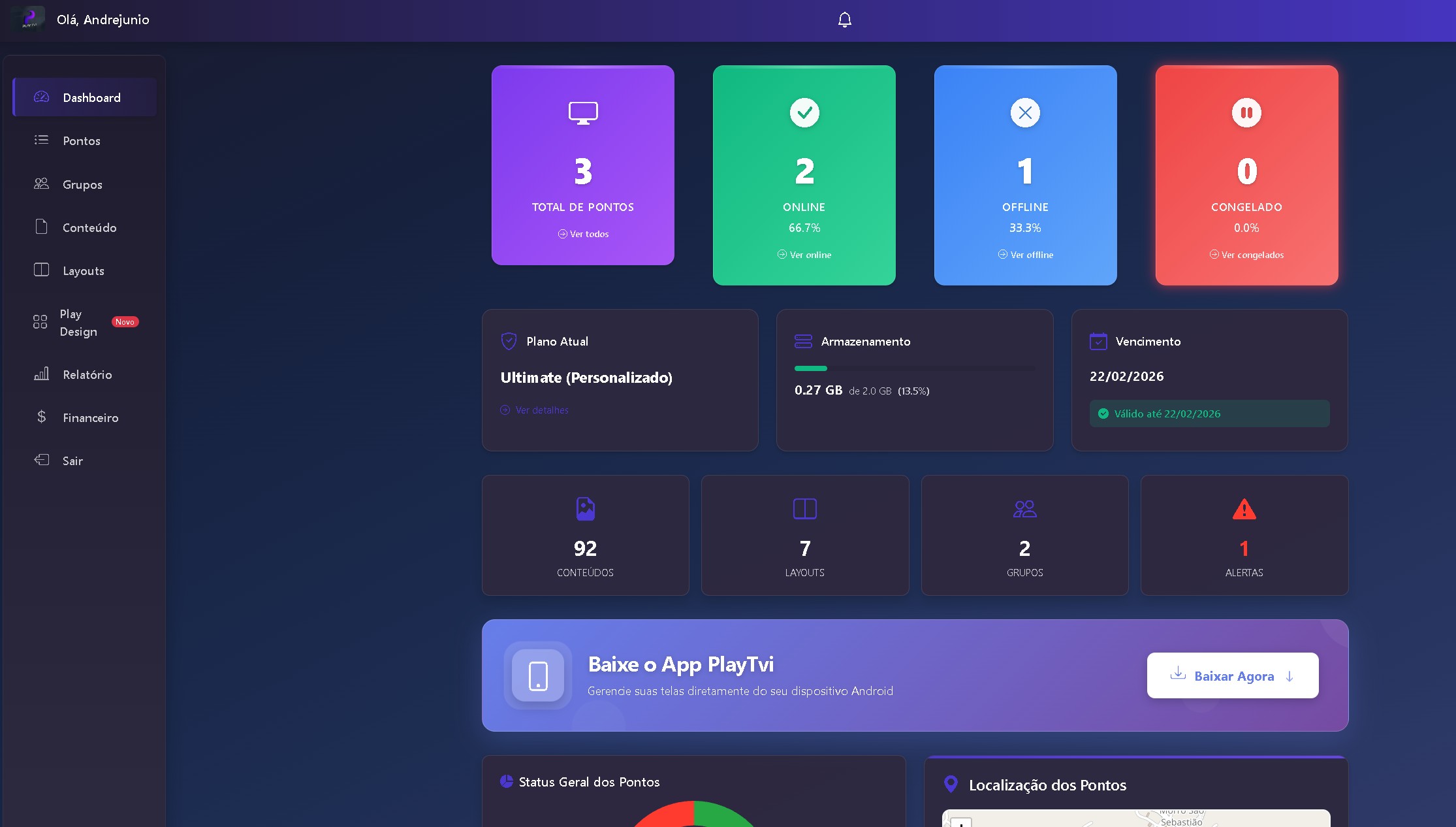
See which screens are online, offline or updating, storage used and account due dates in a single view.
Organize images, videos and web pages in folders, with bulk upload and search by name. Everything is available to any screen in the account.
Split the screen into zones: a large video, a notice ticker and a clock, for example. Portrait or landscape layouts, with preview.
Create artwork right inside the platform, with ready-made templates, text, shapes and icons. No need to hire a designer to get started.
Set the date, time, days of the week and priority for each piece of content. Apply the schedule to one screen or an entire group of vehicles.
Total plays per media item, time on screen, peak hours and trend charts, with PDF and CSV export to show your partners.
PlayTVi doesn't sell or lend any equipment. Here's the honest list of what's on you.
You pay per active screen. One car or fifty, it works the same way.
Vehicle, store, reception, gym. If there's a screen, it can join the same dashboard and the same per-screen subscription.
Digital signage in rideshare cars is the use of a screen installed inside the vehicle — usually a tablet on the front seat headrest — to show content to the passenger during the ride. It's the same idea as screens in elevators, pharmacies and waiting rooms, applied to the inside of a car.
For that screen to really work, someone has to control what it shows, when and for how long — and needs to know afterward what was played. That's exactly the role of digital signage software like PlayTVi: the driver, fleet owner or media company installs the app on the device, registers the screen in the account and controls everything remotely from the dashboard.
PlayTVi provides only the software. We're not an advertising network, we don't buy or sell media space, we don't pay drivers and we don't provide equipment. The screen owner decides the content, negotiates with advertisers and gets paid for it. We deliver the platform that gets the content to the vehicle, follows the schedule and generates the playback report.
During the ride, the passenger is seated, not driving and has attention to spare. It's a different kind of exposure from a screen in a mall hallway, where people walk by in seconds. That alone doesn't guarantee results: what keeps a media operation going is a consistent schedule, quality artwork and the ability to prove your ads ran — three things that depend on the software behind the screen.
Also check out our solutions for Corporate digital signage, digital signage for retail e screens for hotels, or see all the platform's features.
The questions we answer most on WhatsApp, answered here with no fluff.
No. PlayTVi is a software company. We provide the platform that manages the content shown on the screens. We don't pay drivers, we don't pay per ride or per play, and we don't broker the sale of advertising space.
The business side is yours. You negotiate directly with the advertisers or partners you want to show, set the price and keep 100% of the revenue. PlayTVi is the tool that puts the content on air, follows the schedule and generates the playback report you show the advertiser.
To be clear: building a media business takes work, and the return depends on your sales effort, your area and how many rides you do. We don't promise any earnings.
No. You choose and buy the device, the mount, the charger and the vehicle's internet. Our app runs on Android tablets and TV boxes and on PCs with Windows 10/11 — standard, off-the-shelf equipment, no specific model required.
Not all the time. The app caches content locally and keeps playing even with no signal. A connection is needed to receive schedule updates and to sync the data behind your reports with the dashboard.
No. PlayTVi schedules are set by date, time, day of the week and screen group. You can build a specific schedule for the vehicles that drive in a given area and apply it to that group, but the switch doesn't happen through real-time geolocation.
Yes. Screens can be organized into groups and receive the same schedule all at once. That's how fleets, cooperatives and rental companies update dozens of vehicles without having to visit each one.
Plans start at $7.90 per registered screen per month, with a 7-day free trial and no contract. Accounts with many screens get volume discounts. Details are on the plans page.
No. The same account manages screens anywhere: stores, restaurants, clinics, gyms, supermarkets, hotels, barbershops and offices. Vehicles and fixed locations live side by side in the same dashboard, under the same per-screen subscription.
Sign up, install the app on a device you already have and see what it's like to control the screen remotely. No credit card required to try it, no contract.