$7.90 per screen/month. 7-day free trial, no credit card, no contract. Works on Android TV boxes and Windows.
No complicated installation, no technician visit and no USB drive. You set everything up from your browser — on your computer or phone.
Install the PlayTVi app on your TV box, Android Smart TV or Windows mini PC. Create the screen in the dashboard, enter the activation code it shows in the app, and that's it: your screen is paired.
Upload videos and images, create artwork in Play Design, split the screen into zones with the layout editor and add automatic content: news, weather, air quality, exchange rates and much more.
Schedule by day, date and time, publish to one screen or a whole group at once, and track everything in real time: online status, what is on air and playback reports.
72+ ready-made content apps, updated automatically. News, weather, air quality, soccer, exchange rates and much more.
Everything that appears on our customers' screens comes from a content base that updates itself all day long. We've opened that base to the public at PlayTVi Portal: news, football standings, exchange rates, weather, air quality and holidays — the same data, at the same time.
It's the most honest way to show the product: instead of a pretty screenshot, the live content your screen will display today.
Open the PlayTVi PortalA complete platform to manage your digital signage screens, with powerful, easy-to-use tools.
Monitor all your screens in real time. See online/offline status, location and system health.
Organize images, videos and content in folders. Upload with ease and manage your storage.
Schedule content by date, time and day of the week. Set duration and priority for each media item.
Create professional artwork right in the platform. Ready-made templates for offers, menus and more.
Build layouts with multiple zones. Show different content at the same time on a single screen.
Track playback statistics, peak hours and trends. Export reports as PDF or CSV.
A modern, intuitive interface that lets you manage all your screens simply and efficiently.
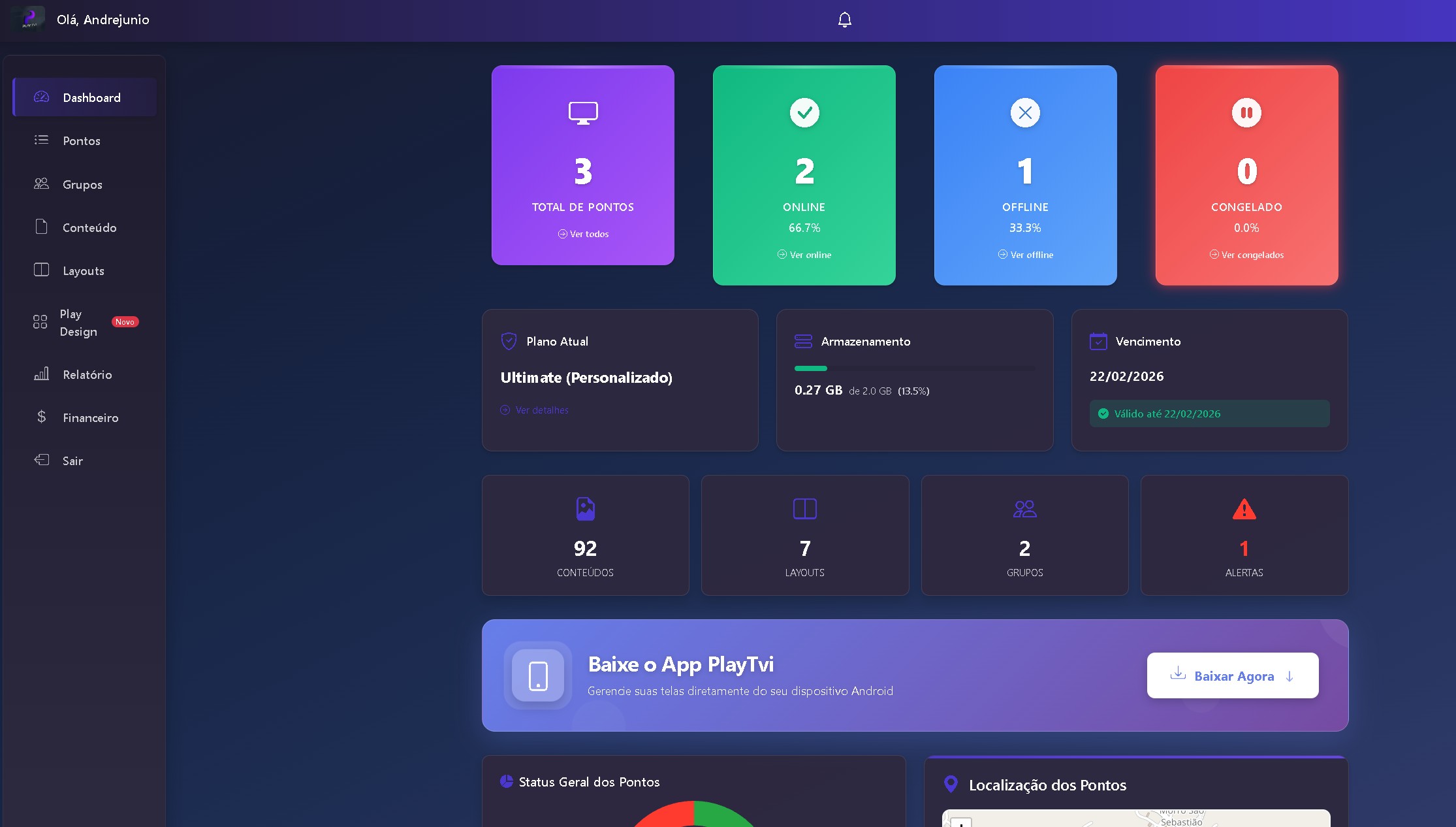
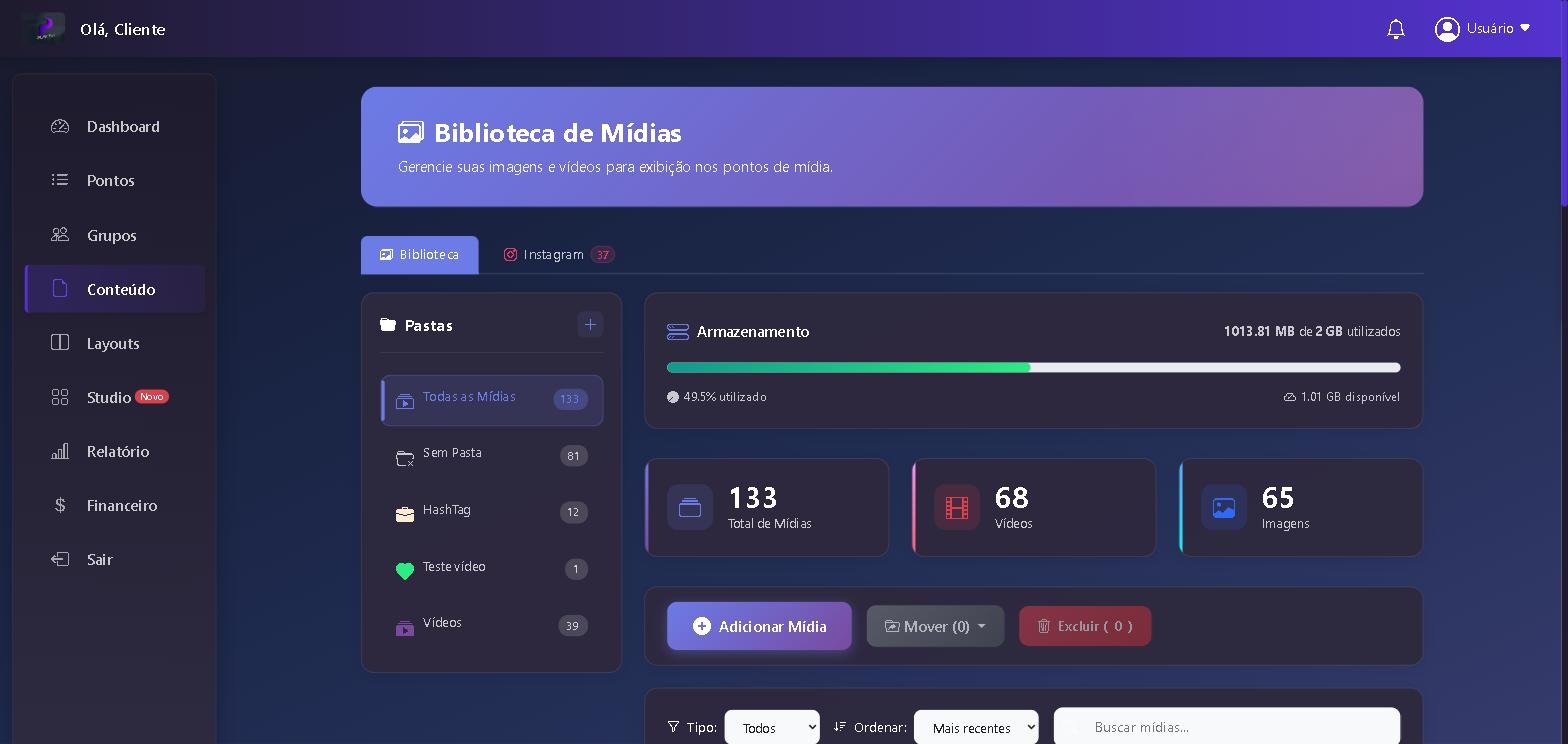
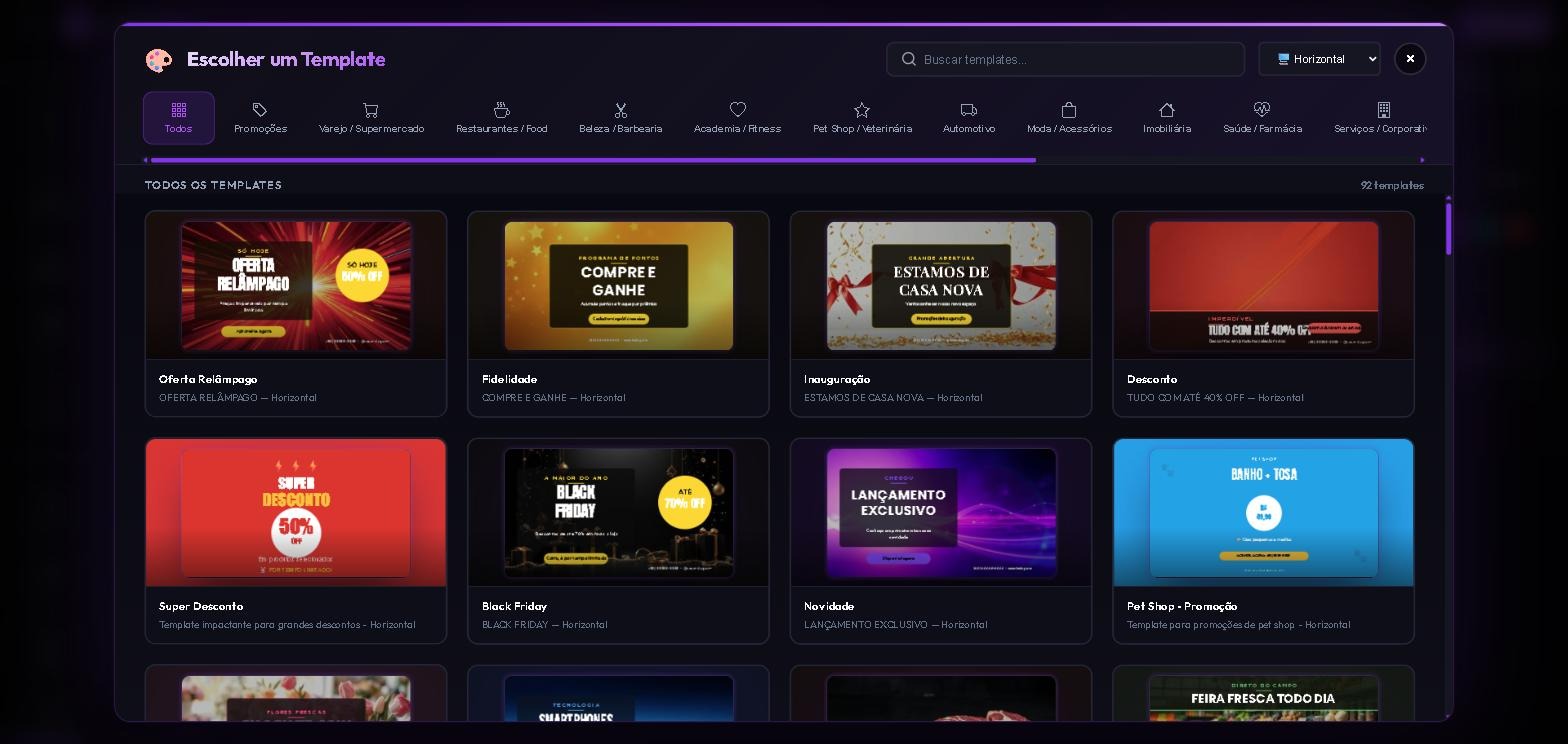
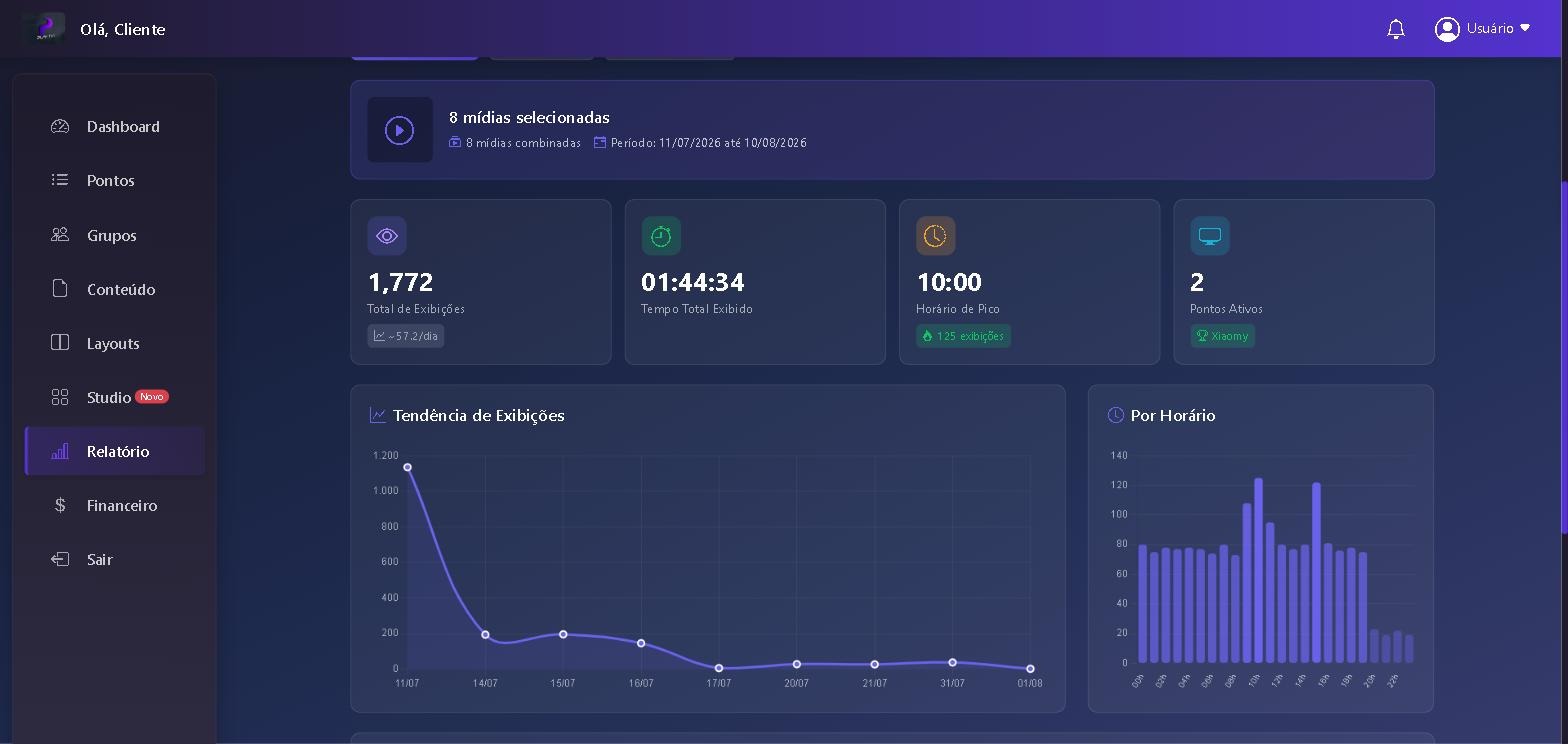
See in detail how the PlayTVi platform transforms the way you manage your digital screens
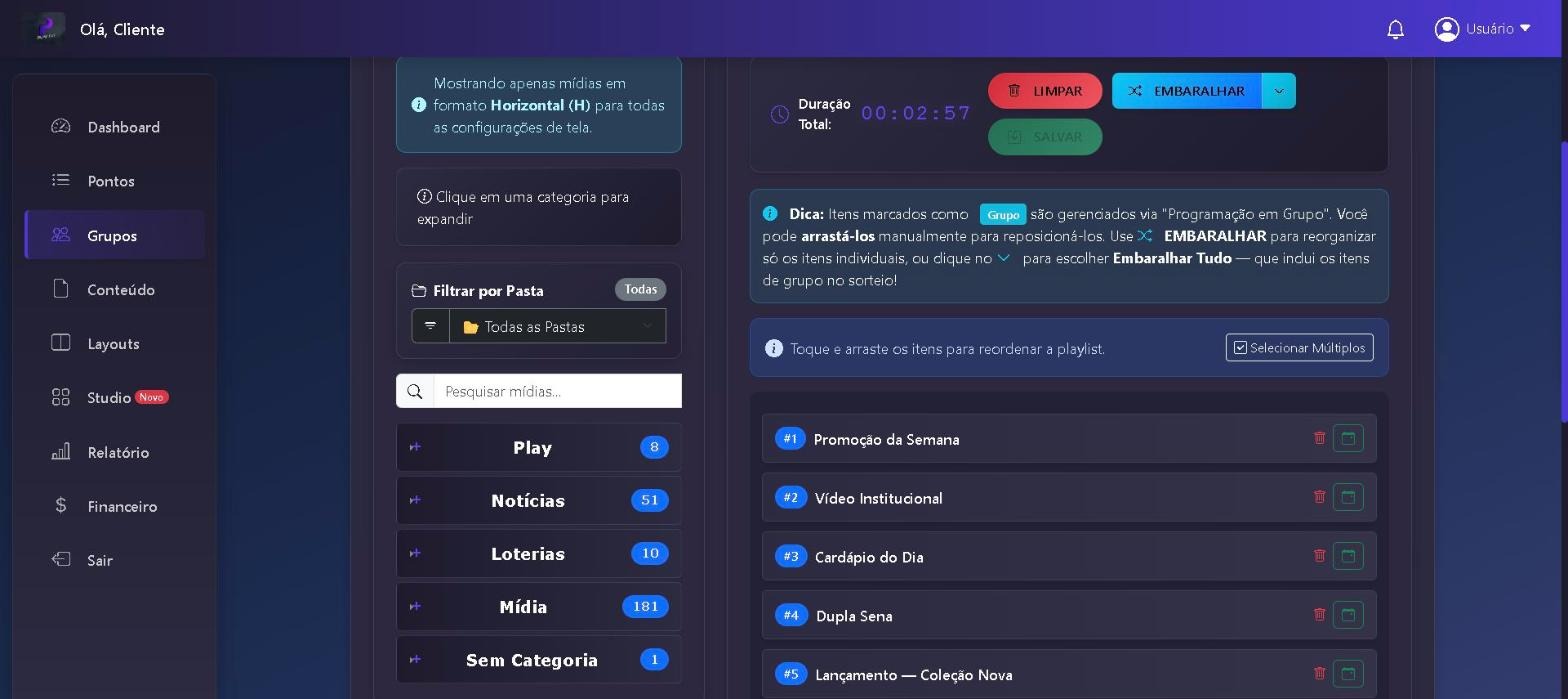
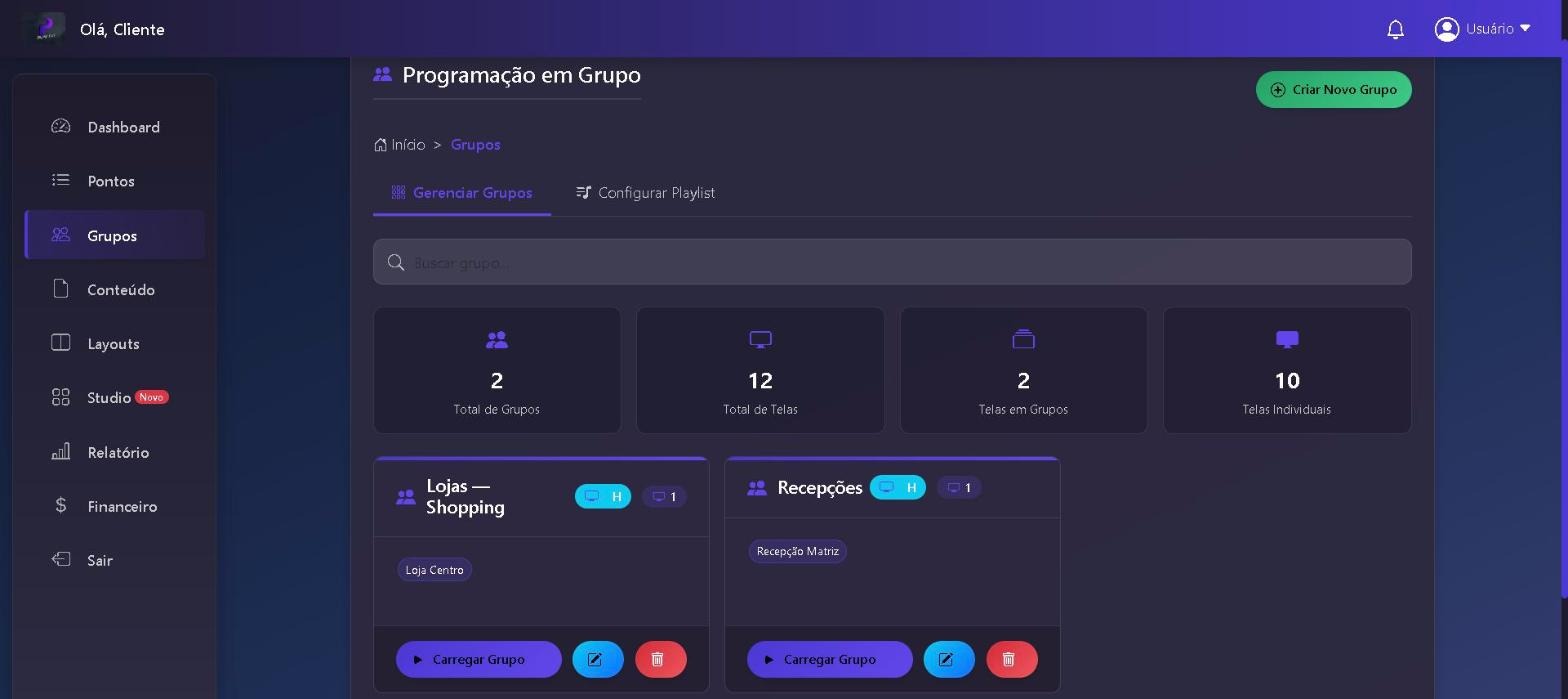
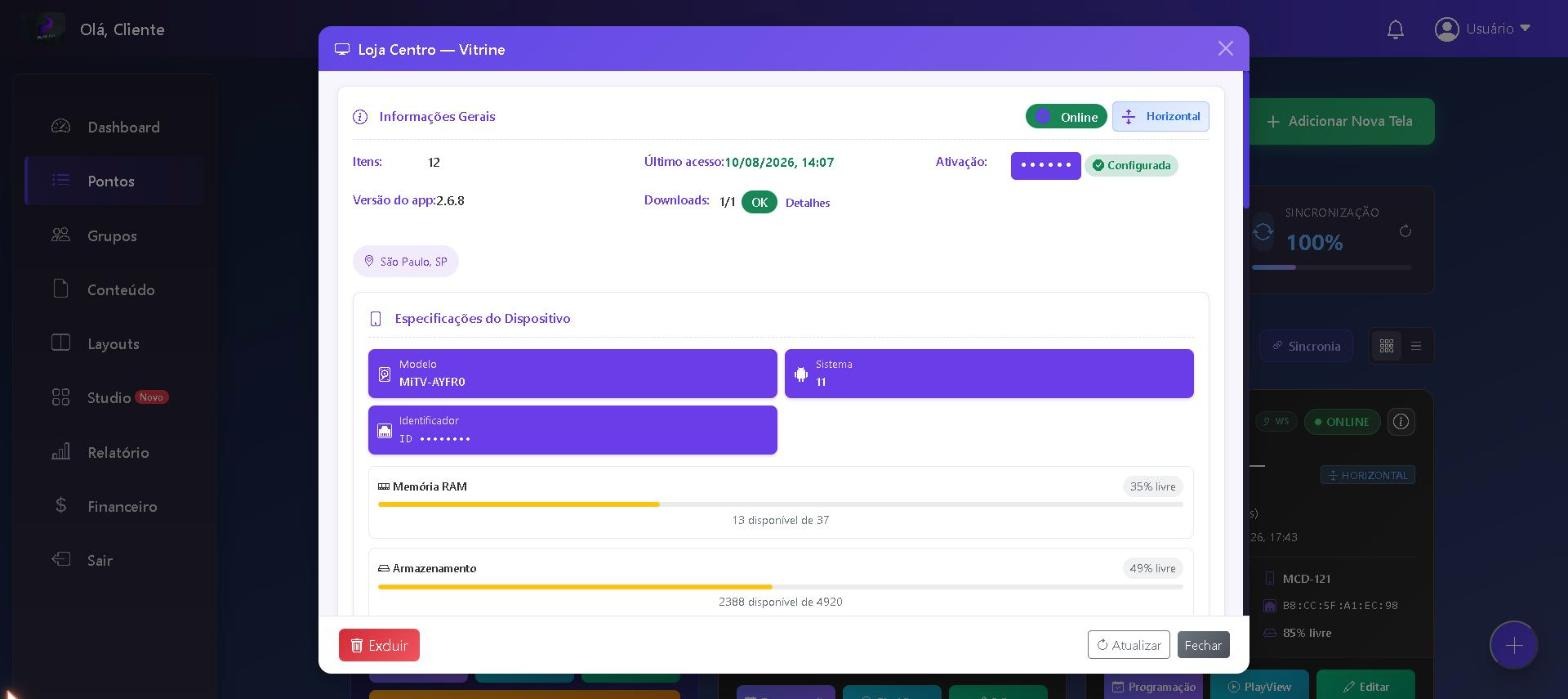
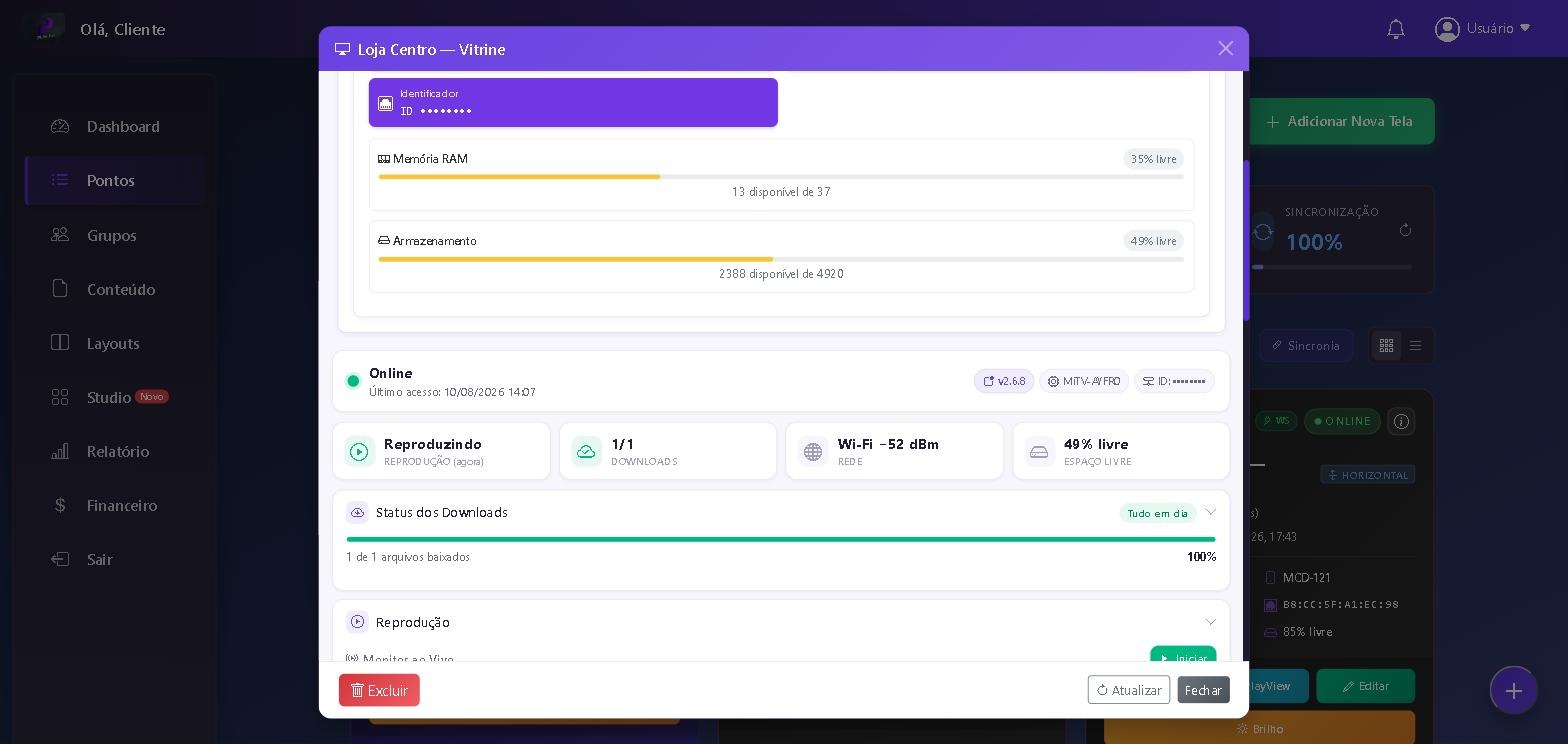
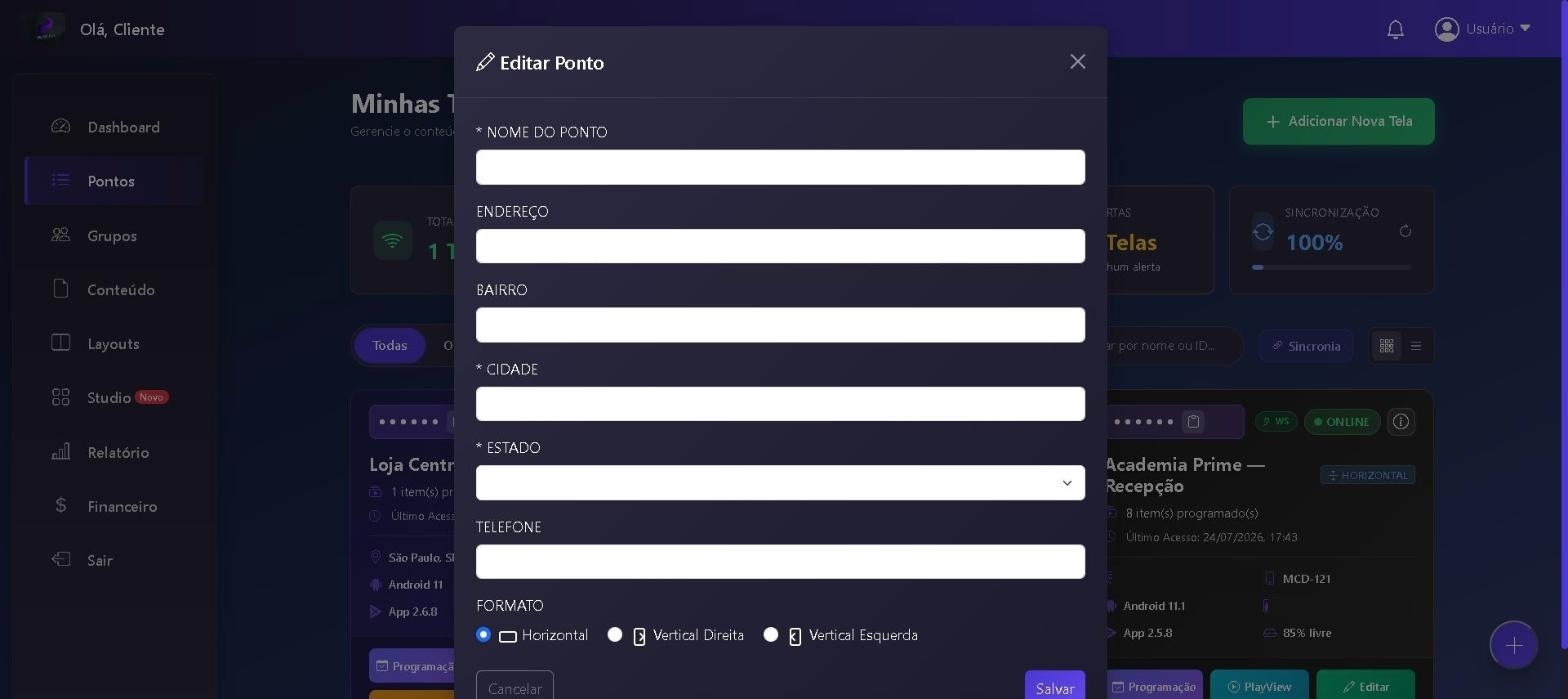
In addition to your own content, we offer a library of automatic content apps updated in real time.
Weather forecasts updated automatically based on each screen's location.
Football standings and upcoming matches (Copa Libertadores, Copa Sudamericana), updated in real time.
Dollar, Euro, Bitcoin and other currencies with real-time changes.
Results of all major lotteries updated after every draw.
List of movies currently in theaters with poster and synopsis.
Content from more than 120 news outlets such as CNN, G1, UOL, Jovem Pan and CanalTech.
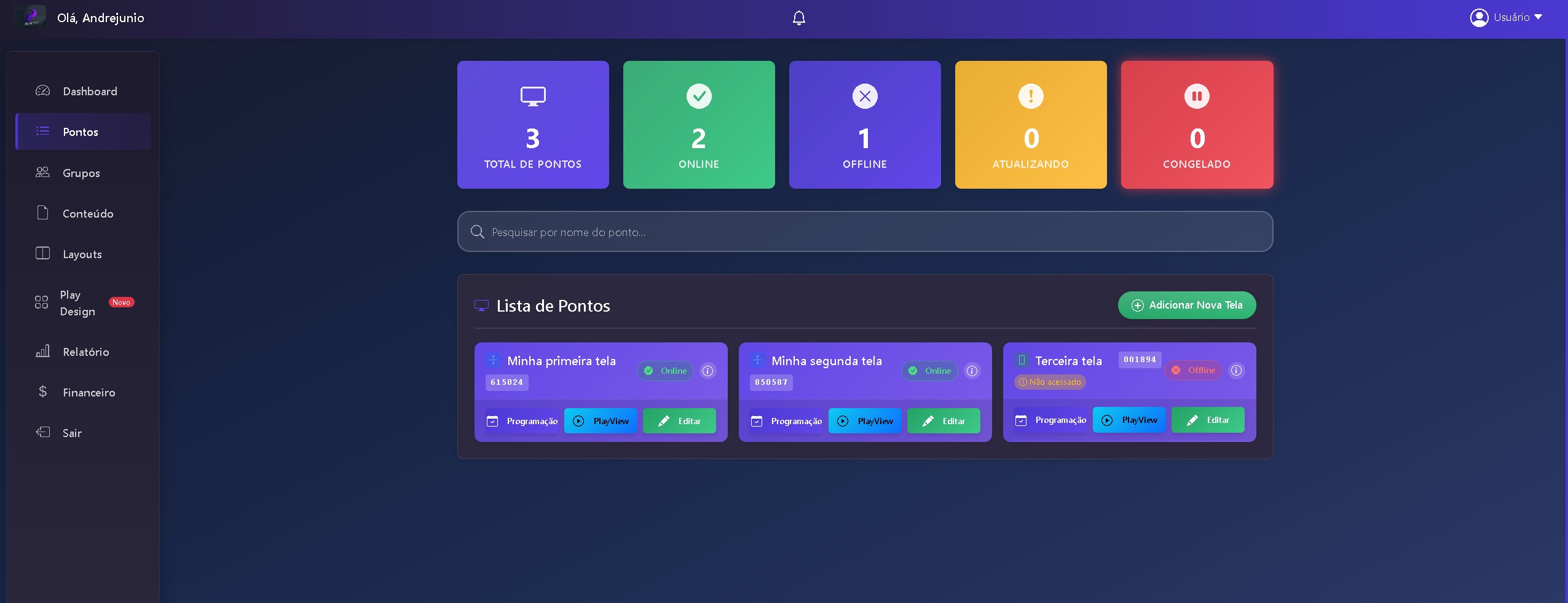
Manage multiple display locations from one place. See where each screen is, monitor its status in real time and get instant alerts about any problem.
All ready to go and self-updating, 24 hours a day. You just pick one, drag it into the layout and publish — at no extra cost on any plan.
Whether it's one screen at the front desk or an entire chain of stores, see how PlayTVi works in your industry.
A digital menu that changes on its own by time of day, with daily specials and wait-list updates.
See solutionIn-store offers, launches and campaigns published across your whole chain at once.
See solutionQuality information in the waiting room, health tips and an introduction to your clinical team.
See solutionClass schedule, challenges, workout tips and plans — right on the weight room floor.
See solutionOffers by department, digital flyers and messaging for the butcher, bakery and produce sections.
See solutionKPIs, HR notices, goals and workplace safety for the whole team.
See solutionWelcome messages, event calendar, weather forecast and tourism tips in the lobby.
See solutionService menu, haircut portfolio and entertainment for those waiting.
See solutionMonetize every ride with a screen on the back seat showing local ads.
See solutionPharmacies, churches, schools, car dealerships, chains and franchises. Tell us about your case.
Talk to usMost screens out there still run on a USB drive or a player that only plays video. See what changes in practice.
← swipe the table sideways →
| Feature | PlayTViFull-featured | USB drive | Basic players |
|---|---|---|---|
| Change content remotely, without going to the screen | |||
| Scheduling by day, date and time slot | |||
| Layouts with multiple zones on the same screen | |||
| Video wall — one video split across several screens | |||
| Screen sync (same content at the same instant) | |||
| Built-in design editor (Play Design) | |||
| 72+ automatic content apps included in the plan | |||
| Playback report in PDF and CSV | |||
| Remote screen monitoring and diagnostics | |||
| Android player e Windows | |||
| Keeps playing even if the internet goes down | |||
| Publish to a whole group of screens at once | |||
| Sub-users with separate screens and content | |||
| Dashboard and app with your own brand (white-label) | |||
| Support in English, from real people |
available · depends on vendor / plan · not available
Flexible plans that grow with your business. Start with a 7-day free trial.
Companies across many industries trust PlayTVi for their visual communication.
"PlayTVi's digital signage system transformed our visual communication. Now we reach our audience far more efficiently."
"With PlayTVi we can run promotions and campaigns automatically. Our engagement and sales went way up!"
"We use PlayTVi to show informational content in our stores. The impact on customer behavior has been incredible."
The questions our team answers most. For a step-by-step guide to each tool, see the complete dashboard guide.
Have a more specific question? See all 32 questions answered in the help center →
Start right now with a 7-day free trial. No commitment, no credit card.
 ▶ Watch · 1:30
With the new Remote Access from PlayTVi, you see the device's screen live and control everything from the dashboard: tap, type, adjust settings, restart the player and check diagnostics — without leaving your seat.